How to Verify your account email on OGBETEmarket
ogbetemarket January 19, 2021 No Comments

Good Practice is good when observed.
Lots of users do chat us up requesting for guide on account / email verification; Yes, It is good to have your email / account on ogbetemarket.com marked as verified as this affirms that the email used during account creation is valid.
Notwithstanding, not verifying your account does not hinder you from posting Ads or using our online market community.
To get account/ email verification, patiently follow these step by step guide below:
01. login to your account
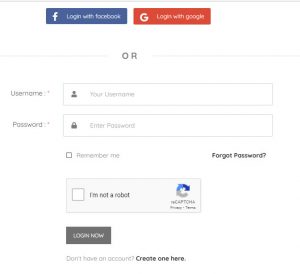
02. Click on my Account
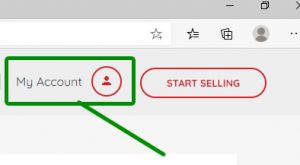


This is located at the top right corner of desktop (see photos), bottom center of mobile or top menu display of mobile(see photos).
or click this Profile link
03. Click on profile setting

This opens up a page that lets you see the verify button for account verification. a click o this link gives same [Profile Settings – Ogbete Market]
04 . Click on “Verify Your Account” button.
A verification pop up box shows up asking if you want verification code sent to your account email address.
05. Click on Get Verification code

07. Visit your email and Copy the code

08. Return the code to the box provided

paste inside the box provided on your page
In most cases, the verification mail takes a little time to deliver. we plead you kindly exercise patients for a couple of say 20mins and when ever it did deliver, do provide back to us as guided .
Leave a Comment
Your email address will not be published. Required fields are marked. *